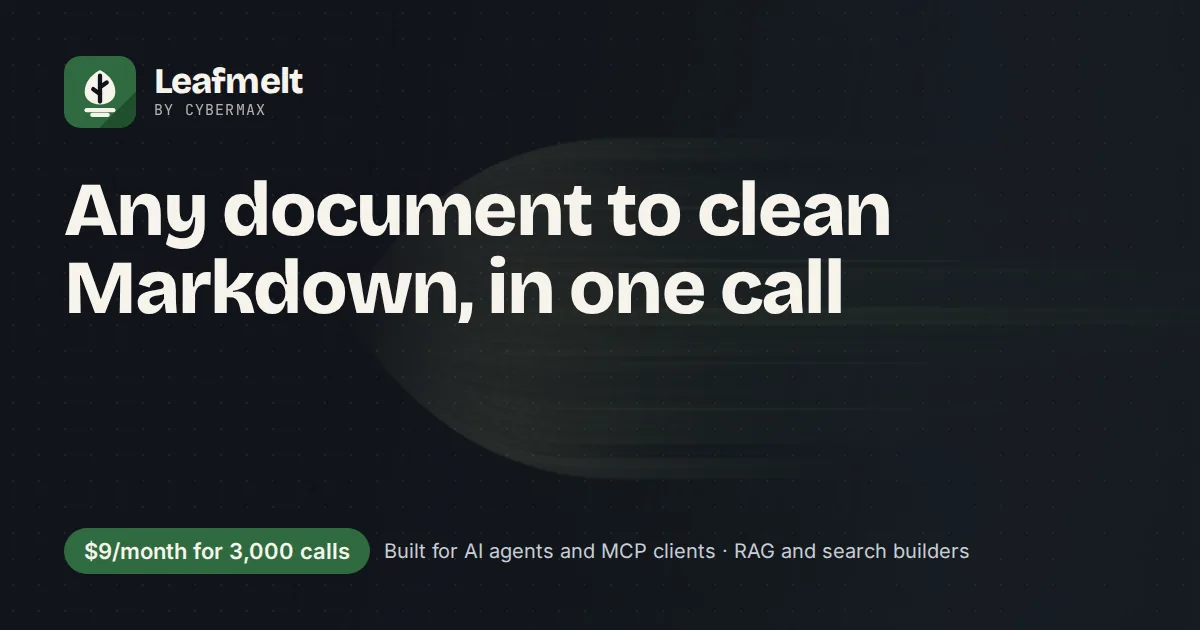
Any document to clean Markdown, in one call
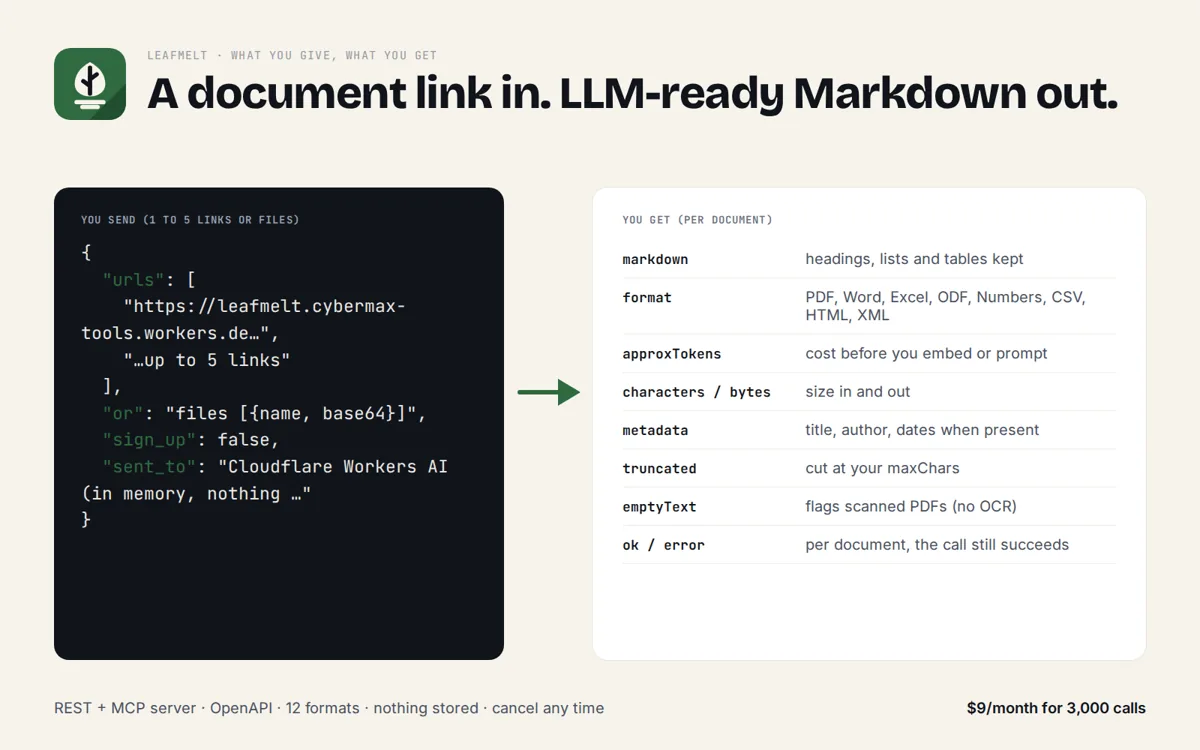
Send a PDF, Word, Excel, OpenDocument, Numbers, CSV or HTML file (by URL or upload, up to 5 per call) and get LLM-ready Markdown with headings and tables kept, plus a token count. For AI agents, RAG pipelines and no-code tools. Free tier, no key; plans from $19/month.
Opens Stripe's billing portal: invoices, payment method, cancel.
Who it's for
Anyone who has to feed documents to an LLM and doesn't want to host a Python parser for it.
A hosted tool that reads a PDF or spreadsheet link and hands back Markdown, so Claude, Cursor or your own agent can quote it.
Markdown with headings and tables intact chunks better than raw text; the token count tells you the cost before you embed.
n8n, Make and Zapier can call one HTTPS URL; no server, no pip install, no container to keep patched.
Let users upload Word, Excel or PDF files and index them, without shipping a document-parsing stack.
Try it
Paste up to 5 document links (one per line). The three sample files below are real documents hosted here; swap in your own PDF, Word or Excel link.
Raw JSON response
Real sample output
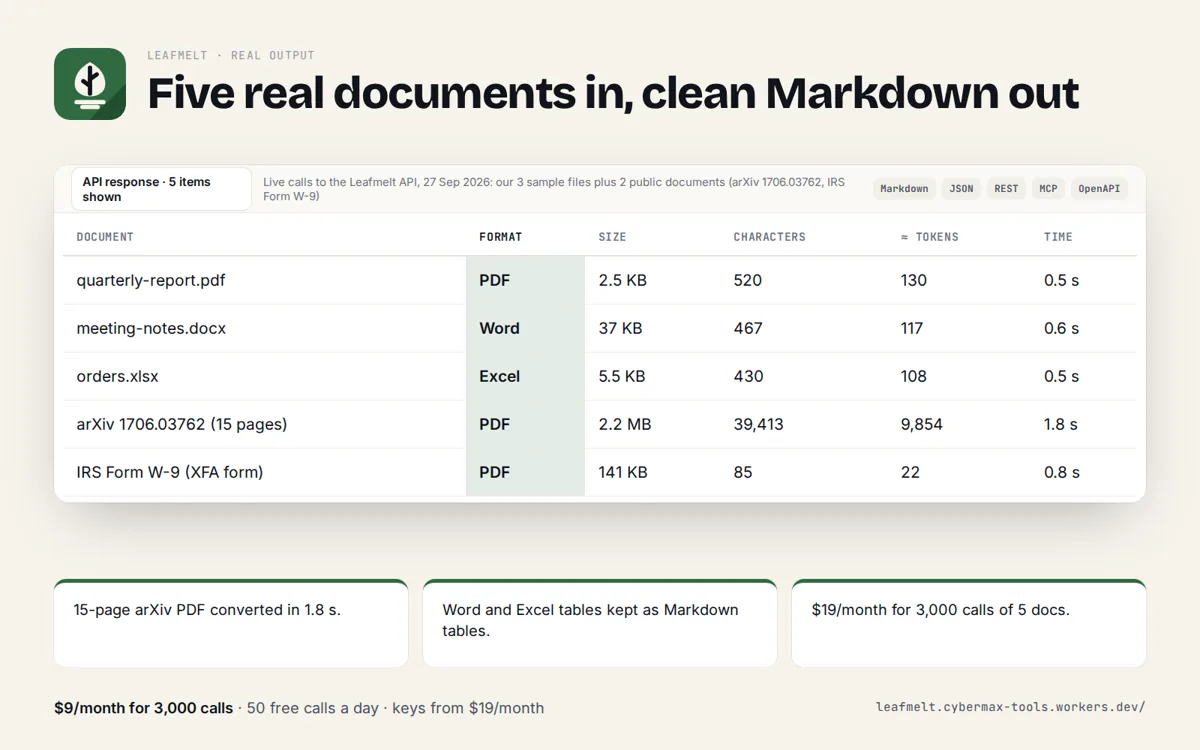
Captured from a live call to this API (the sample Word file).
{
  "converted": 1,
  "failed": 0,
  "documents": [
    {
      "ok": true,
      "source": "https://leafmelt.cybermax-tools.workers.dev/samples/meeting-notes.docx",
      "name": "meeting-notes.docx",
      "format": "Word (.docx)",
      "mimeType": "application/vnd.openxmlformats-officedocument.wordprocessingml.document",
      "bytes": 37009,
      "characters": 467,
      "approxTokens": 117,
      "truncated": false,
      "emptyText": false,
      "preview": "Meeting notes: product launch review A fictional sample document for testing Leafmelt. Decisions Launch date moves to 14 October. Pricing s…",
      "ms": 1014,
      "metadata": {},
      "markdown": "# meeting-notes.docx\n\nMeeting notes: product launch review\n\nA fictional sample document for testing Leafmelt.\n\n# Decisions\n\n* Launch date moves to 14 October.\n* Pricing stays at $9 and $29 a month.\n* Support hours: 9 AM to 5 PM ET.\n\n# Owners\n\n| Task              | Owner       | Due    |\n| ----------------- | ----------- | ------ |\n| Landing page copy | Marketing   | 6 Oct  |\n| Billing tests     | Engineering | 8 Oct  |\n| Help centre       | Support     | 10 Oct |"
    }
  ]
}
Limits, plainly
Free and rate limited so it stays fast for everyone. Loop over longer lists 5 documents at a time; a Solo key covers 3,000 calls (up to 15,000 documents) a month.
- Up to 5 documents per call, 10 MB each; 10 calls a minute per IP on the free tier.
- Free tier: 50 calls a day per IP, no key. Paid keys from $19/month (see Get an API key).
- Formats: PDF, Word (.docx), Excel (.xlsx/.xlsm/.xlsb/.xls), OpenDocument (.odt/.ods), Apple Numbers, CSV, HTML and XML. Images and scanned PDFs without a text layer are not converted (no OCR); old Word .doc files need saving as .docx.
- PDF text keeps reading order, but lines inside a paragraph can run together; Word, Excel and OpenDocument tables come out as Markdown tables.
- Documents are converted in memory and never stored. Links must be public http(s) URLs.
Get an API key
Documents to clean Markdown for AI agents and RAG: PDF, Word, Excel, OpenDocument, Apple Numbers, CSV, HTML and XML, by URL or upload, up to 5 per call, with headings and tables kept and a token count. Keys work on the REST API and the MCP server.
10,000 calls a month · 60 per minute
Get Team keyor $490/year, 2 months freePay with card, Apple Pay, Google Pay or Link through Stripe Checkout (sales tax/VAT handled by Stripe). Your key appears on the page you return to right after checkout: save it. Manage or cancel any time at leafmelt.cybermax-tools.workers.dev/manage. Send it as x-api-key: YOUR_KEY (or Authorization: Bearer YOUR_KEY, which MCP clients support). Check usage at /key. Failed calls are not counted. Document parsers charge per page: Mathpix $5, Reducto $10 and Unstructured $15 per 1,000 pages, LlamaParse from $1.25 (checked 27 Sep 2026). Leafmelt charges per call, not per page, for text documents in 12 formats (no OCR): Solo $19/month for 3,000 calls of up to 5 documents, or $5 pay-as-you-go for 750 calls.
Using several CyberMax APIs? CyberMax API All-Access: one key for all 9 APIs (this one included, 3,000 calls a month here) for $119/month. See All-Access
curl -s "https://leafmelt.cybermax-tools.workers.dev/api/convert?..." -H "x-api-key: YOUR_KEY"

# MCP (Claude Desktop, Cursor, VS Code)
{ "mcpServers": { "leafmelt": { "type": "http", "url": "https://leafmelt.cybermax-tools.workers.dev/mcp",
  "headers": { "Authorization": "Bearer YOUR_KEY" } } } }

# Usage so far
curl -s https://leafmelt.cybermax-tools.workers.dev/key -H "x-api-key: YOUR_KEY"
Use the API
JSON over HTTPS, CORS enabled, no key. GET for quick calls, POST a JSON body for lists. Spec: openapi.json · llms.txt
curl -s "https://leafmelt.cybermax-tools.workers.dev/api/convert?url=https%3A%2F%2Fleafmelt.cybermax-tools.workers.dev%2Fsamples%2Fquarterly-report.pdf%0Ahttps%3A%2F%2Fleafmelt.cybermax-tools.workers.dev%2Fsamples%2Fmeeting-notes.docx%0Ahttps%3A%2F%2Fleafmelt.cybermax-tools.workers.dev%2Fsamples%2Forders.xlsx"

# lists: POST a JSON body
curl -s -X POST https://leafmelt.cybermax-tools.workers.dev/api/convert \
  -H "content-type: application/json" \
-d '{"urls":["https://leafmelt.cybermax-tools.workers.dev/samples/meeting-notes.docx","https://leafmelt.cybermax-tools.workers.dev/samples/orders.xlsx"]}'import requests
r = requests.post("https://leafmelt.cybermax-tools.workers.dev/api/convert",
json={"urls":["https://leafmelt.cybermax-tools.workers.dev/samples/meeting-notes.docx","https://leafmelt.cybermax-tools.workers.dev/samples/orders.xlsx"]}, timeout=30)
r.raise_for_status()
for row in r.json()["documents"]:
print(row)Endpoints: /api/convert convert up to 5 documents (url or upload) to markdown
Add it to your AI agent (MCP)
A remote MCP server at https://leafmelt.cybermax-tools.workers.dev/mcp (streamable HTTP, no auth). Read-only tools with JSON schemas, so agents know exactly what to send.
// Claude Desktop, Cursor, VS Code, any MCP client (remote, no key)
{
  "mcpServers": {
    "leafmelt": { "type": "http", "url": "https://leafmelt.cybermax-tools.workers.dev/mcp" }
  }
}

# Claude Code
claude mcp add --transport http leafmelt https://leafmelt.cybermax-tools.workers.dev/mcp

# Tools: convert_to_markdown, supported_formats
# e.g. convert_to_markdown({"urls":["https://leafmelt.cybermax-tools.workers.dev/samples/quarterly-report.pdf"]})
convert_to_markdown
Convert 1-5 documents (PDF, Word .docx, Excel .xlsx/.xls, OpenDocument, Apple Numbers, CSV, HTML, XML) to clean Markdown for reading or RAG. Pass public URLs in urls, or files as [{name, base64}]. Returns markdown, format, characters, approxTokens and truncated per document. Not for images or scanned PDFs (no OCR).supported_formats
List the document formats Leafmelt converts, with file extensions and MIME types.
FAQ
Why not markitdown, docling or pymupdf4llm?
They are good free libraries, and millions of people download them every month. They also need Python, a server to run on and upkeep. Leafmelt is the same job as one HTTPS call or MCP tool, so remote agents (Claude.ai connectors, ChatGPT, n8n, Workers) can use it with nothing installed.
Why not a pay-per-PDF tool on Apify or LlamaParse?
Document parsers charge per page: Mathpix $5, Reducto $10 and Unstructured $15 per 1,000 pages; Apify PDF extractors $0.005 to $0.02 per PDF (public prices, 27 Sep 2026). Leafmelt charges per call of up to 5 documents in any of 12 formats: Solo is $19/month for 3,000 calls. If you need OCR for scanned pages or layout-level parsing, a heavier parser such as LlamaParse is the better fit.
Which formats work?
PDF, Word (.docx), Excel (.xlsx/.xlsm/.xlsb/.xls), OpenDocument (.odt/.ods), Apple Numbers, CSV, HTML and XML. Images and scanned PDFs are not converted, because there is no OCR; a PDF without a text layer comes back with emptyText: true. Save old .doc files as .docx first.
Do you keep my documents?
No. Each document is fetched or read from your upload, converted in memory by Cloudflare Workers AI and dropped when the response is sent. Nothing is written to disk or logged beyond request counts.
Is there a key or a cost?
The free tier needs no key: 50 calls a day per IP. Paid keys: Solo $19/month for 3,000 calls, Team $49/month for 10,000 calls, Pipeline $99/month for 25,000 calls; or pay as you go: $5 for 750 calls that never expire. Yearly billing gives 2 months free. Every call converts up to 5 documents. Send the key as the x-api-key header. No surprise overage charges; cancel any time.
Can I use it from Claude, Cursor or another AI agent?
Yes. Add the MCP server URL below (with your key as a Bearer token for paid limits). The tool convert_to_markdown takes document URLs or base64 files and returns Markdown.
How do I upload a file instead of a link?
POST /api/convert with {"files": [{"name": "report.pdf", "base64": "..."}]}. The file name's extension helps tell Word, Excel and OpenDocument apart; PDFs are recognised from their content.